
Heading to the States and don’t want to land to a dead phone or a roaming bill with a nasty surprise on it? Here’s the short version: for most visitors, the easiest way to stay online is a travel eSIM for the USA you set up before you fly. It installs in minutes, connects when you land, and there’s no plastic SIM to hunt down or swap. A physical prepaid SIM still makes sense in a few cases, and we’ll cover those too.
This guide keeps the focus on the USA (with a section on adding Canada, since plenty of trips cross the border). We’ll cover which US network to look for, how much data you actually need, whether you keep your own number, and how to get set up without the jargon.
New to eSIMs? An eSIM is a digital SIM built into your phone: you buy a plan online, scan a QR code, and it’s ready with no physical card. That’s the whole idea. For more details, see Airhub’s guide to eSIMs.
eSIM vs Physical SIM vs Roaming for USA Travel
Three ways to get data on a US trip, and they suit different people:
| Option | Best for | Upside | Watch-outs |
| Travel eSIM | Most visitors with a recent phone | Set up before you fly; no SIM swap; top up in an app | Needs an eSIM-compatible, unlocked phone; usually data-only |
| US prepaid SIM (bought locally) | Older phones, or if you want a US number | Local number for calls/texts; available at airports and stores | Queue and SIM swap; less flexible |
| Home-carrier roaming | Very short trips, total convenience | Nothing to set up | Can be expensive depending on your carrier and plan |
The honest summary: for a typical visitor with a modern phone, a travel eSIM is one of the most convenient ways to get data. Most people don’t actively choose roaming they default into it by doing nothing, then find out the cost after the trip. A local prepaid SIM, by contrast, is a solid fallback if your phone can’t do eSIM or you specifically want a US number.
Which US Network Is Best for Travelers?
Coverage in the USA comes down to three major networks: T-Mobile, Verizon, and AT&T. Travel SIMs and eSIMs may use one or more of these networks, depending on the provider and plan.
Instead of choosing a network based only on its name, check which network your specific travel SIM uses and whether it covers the places on your itinerary.
For road-trippers, even major networks can have weaker coverage in remote parks and stretches of highway, so download offline maps before you head out. If your itinerary includes rural areas or national parks, check the provider’s coverage before buying.
How Much Data Do You Need for a US Trip?
More than you’d think, because maps, rideshare, and messaging run constantly on the road. As a rough guide (your mileage will vary):
- Light use — maps, WhatsApp, the odd email: around 1GB per week.
- Typical use — the above plus social media, browsing, and some photos/video: roughly 5–10GB for a one-to-two-week trip.
- Heavy use — streaming, lots of navigation, or using your phone as a hotspot for a laptop: consider a large or unlimited plan.
If you’re not sure, size up slightly running out mid-trip is more annoying than a little unused data, and many travel eSIMs let you top up in the app rather than buy all over again.
Will I Keep My Number? (Calls, Texts, and 2FA)
This is the question that trips people up most, so here’s the plain answer: most travel eSIMs are data-only.
Your phone can run two lines at once (your home SIM plus the eSIM). The setup that works for many travelers:
- Keep your home SIM switched on so you can still receive calls, texts, and bank 2FA/OTP codes on your normal number.
- Turn data roaming OFF on your home SIM so it doesn’t rack up charges.
- Set the eSIM as your data line, and turn its data on.
Result: you browse, map, and stream on the travel eSIM data, while your real number keeps working for the texts that matter. Apps like WhatsApp stay tied to your existing number, so they work as before.
If you’d rather have an actual US phone number for local calls, that’s the case where a US prepaid SIM can be useful.
Is Your Phone Compatible?
Before you buy anything, run two quick checks:
Does it support eSIM? iPhone XS, XS Max, XR and newer models support eSIM. Recent Samsung Galaxy, Google Pixel, and other compatible phones also support eSIM. On iPhone, go to Settings → Cellular (or Mobile Data) → Add eSIM. On Android, the exact menu can vary by device, but you can usually find the option under Settings → Connections/Network → SIM manager → Add eSIM.
You can also dial *#06# and look for an EID, or use Airhub’s eSIM compatibility checker.
Is it carrier-unlocked? A phone locked to your home network may reject an outside eSIM. If you’re unsure, ask your carrier to confirm it is unlocked.
Worth knowing: iPhone 14, 15, and 16 models sold in the USA are eSIM-only they have no physical SIM tray. If you’re bringing one of those, an eSIM is your main option.
How to Buy and Activate a USA eSIM
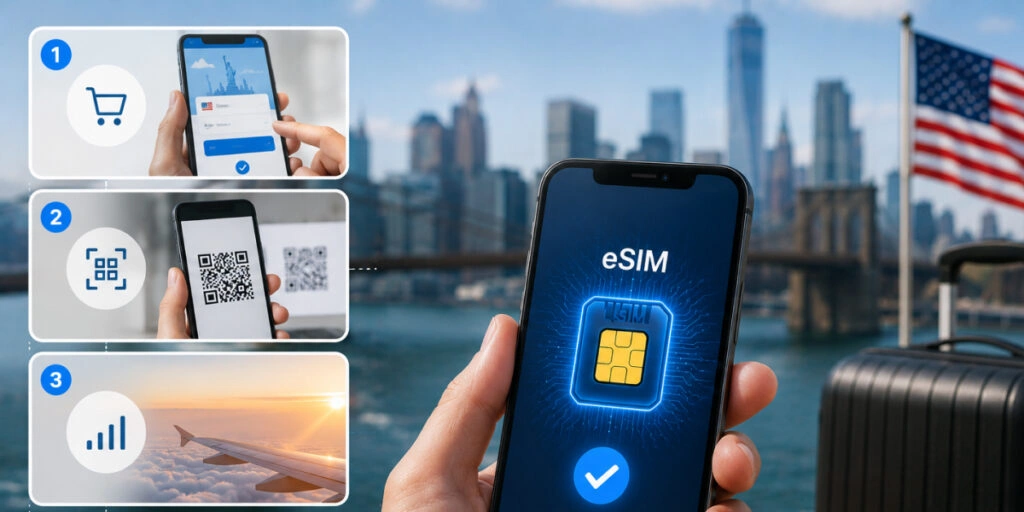
Setup takes a few minutes and one QR code. Do it on Wi-Fi before you fly:
- Choose and pay. Pick a USA (or USA + Canada) plan and buy it online. You’ll get a QR code or activation code by email.
- Install the eSIM. On iPhone: Settings → Cellular → Add eSIM and scan the code. On Android: Settings → SIM manager → Add eSIM. No code handy? Enter the details manually.
- Set your lines. Assign the eSIM as your data line; keep your home SIM for calls/texts with its roaming off.
- Switch it on when you land. Turn on the eSIM’s data and it can connect to a supported local network.
- Manage and top up in the app as you go no reinstalling.
Prefer a physical SIM, or don’t have an eSIM phone? You can buy a US prepaid SIM online or in person once you arrive including from retailers, convenience stores, or carrier stores. ID requirements can vary by provider.
New to installation? Airhub’s eSIM installation guide walks through it.
Travelling the USA and Canada on One Plan
If your trip crosses the border a Niagara day trip or a Pacific Northwest road trip you don’t want to re-sort data in each country.
A North America or regional plan that covers both the USA and Canada lets you cross the border and stay online without a SIM swap or new setup. Some plans include Mexico too, which is handy for southern road trips.
Just check the coverage before you buy: confirm the plan actually lists both countries, rather than assuming a USA-only plan will work in Canada.
Getting a USA eSIM with Airhub
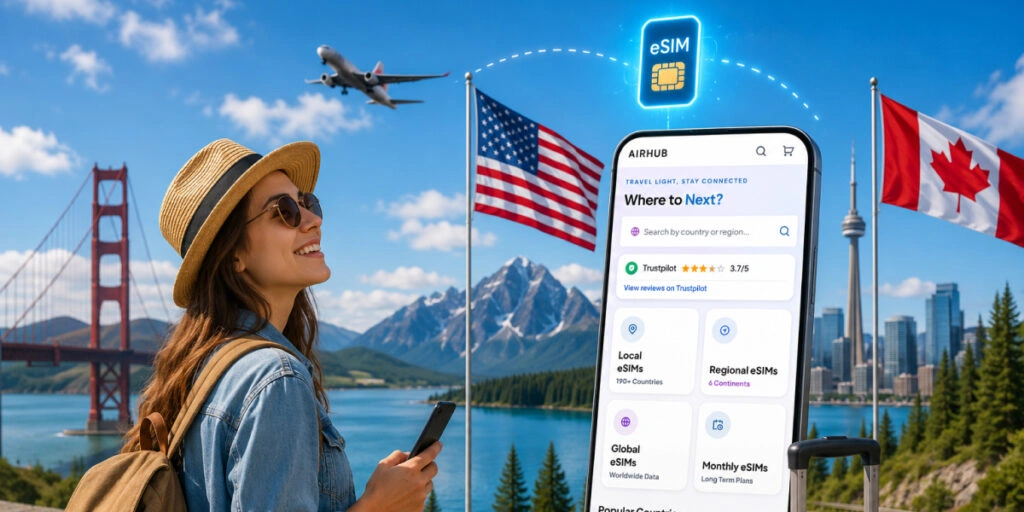
Once you know what you need, Airhub is one option for a USA travel eSIM. It’s built for this kind of trip:
- A USA eSIM with plans you buy and install digitally no physical SIM to ship or swap
- Country and regional options, so you can cover the USA alone or add Canada for a cross-border trip
- Digital activation and in-app top-ups, so you can add data mid-trip
- Prepaid pricing, so there are no surprise roaming bills
That’s positioning, not a claim to be the cheapest or best for every itinerary your trip and your phone decide that. Check that your phone is compatible and that the plan covers your route, and you’re set.
FAQs
1. What’s the best travel SIM card for the USA?
For most visitors with a recent, unlocked phone, a travel eSIM for the USA is a convenient way to get data. A US prepaid SIM is a good fallback if your phone doesn’t support eSIM or you want a local number.
2. Which US network is best for travelers?
The three major US networks are T-Mobile, Verizon, and AT&T. The best choice depends on your destination, so check which network your chosen travel SIM uses and whether it covers your route.
3. Can I use one plan for the USA and Canada?
Yes — look for a North America or regional plan that lists both countries, so you can cross the border without swapping SIMs. Don’t assume a USA-only plan works in Canada; confirm the coverage first.
4. Will a travel eSIM keep my phone number?
Your home number can remain active if you keep your primary SIM enabled. Most travel eSIMs are data-only, so you can use the eSIM for data while keeping your normal number for calls, texts, and 2FA codes. Turn your home SIM’s data roaming off to avoid charges.
5. Is an eSIM better than a prepaid SIM for USA travel?
For many travelers, yes — there is no physical SIM to swap and you can install it before your trip. A physical prepaid SIM can still be useful if your phone isn’t eSIM-compatible or you specifically need a US phone number.
6. Does my iPhone support eSIM?
iPhone XS, XS Max, XR and newer models support eSIM. iPhone 14, 15, and 16 models sold in the USA are eSIM-only. You can check under Settings → Cellular → Add eSIM, or dial *#06# and look for an EID.
7. Where can I buy a prepaid SIM card in the USA?
You can buy prepaid SIMs online or in person from retailers, convenience stores, and carrier stores. ID requirements can vary by provider.
8. Is roaming or a travel eSIM cheaper in the USA?
A travel eSIM or local prepaid SIM can be more cost-effective than home-carrier roaming, but exact costs vary by carrier and plan. Compare the options before you travel.
9. How much data do I need for a US trip?
Around 1GB a week may be enough for light use such as maps and messaging. Around 5–10GB can suit typical one-to-two-week use, while heavy users may need a larger or unlimited plan.
10. Do eSIMs work on cruises from US ports?
A regular travel eSIM generally works when your phone can connect to a supported land network, such as while you’re in port. It usually won’t provide normal mobile coverage in the open ocean. At sea, rely on the ship’s Wi-Fi or an appropriate maritime connectivity service, and keep mobile data off to avoid unexpected charges.
The Bottom Line
Staying connected in the USA doesn’t need to be complicated or expensive. For most travelers, a travel eSIM set up before departure is a simple option: pick a plan that matches your route, choose enough data for how you travel, keep your home number for calls and codes, and you’ll step off the plane ready to get online.
Leave a Reply