Search this question and a good half of the results will tell you to pop out the SIM tray and read the number engraved inside. That advice quietly expired in 2022. Apple dropped the engraving with the iPhone 14, and on eSIM only models there’s no tray to pop out at all which hasn’t stopped the tip being republished every year since.
What follows are five methods that actually work on a current iPhone, ordered by speed. Two of them cover situations most guides skip entirely: a phone that won’t switch on, and a phone that’s already been wiped. Those are precisely the moments people need this, and precisely where the internet tends to go quiet.
There’s also a section on the EID a separate number sitting directly beside the IMEI in Settings, ignored by almost every IMEI guide, and the one that actually matters when you’re setting up an eSIM.
Quick Answer
| Situation | What to do |
| Fastest | Dial *#06# on the keypad |
| Standard | Settings → General → About, scroll down |
| Phone lost or missing | Sign in at appleid.apple.com, tap the device |
| Phone won’t turn on | Check the original box, or connect it to a computer |
| Phone locked or just reset | Tap the i icon on the “Hello” setup screen |
| iPhone 13 or older, phone dead | Look at the SIM tray — the engraving exists on these models only |
Method 1: Dial *#06#
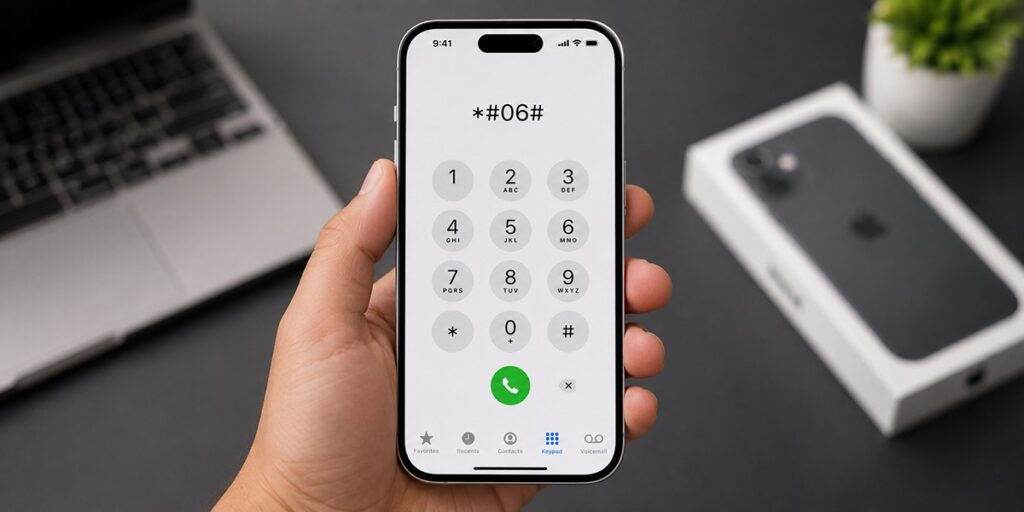
Fastest by a wide margin, and it works on very nearly any phone built in the last twenty years Android included, which is worth remembering next time someone hands you their Samsung and asks.
Open the Phone app, go to the keypad, type *#06#. Don’t press call; the code fires on the final character and the number appears straight away.
Dual-SIM iPhone? You’ll get more than one usually IMEI1 and IMEI2, plus the EID. That’s expected, and there’s a reason for it further down.
Method 2: Settings → General → About
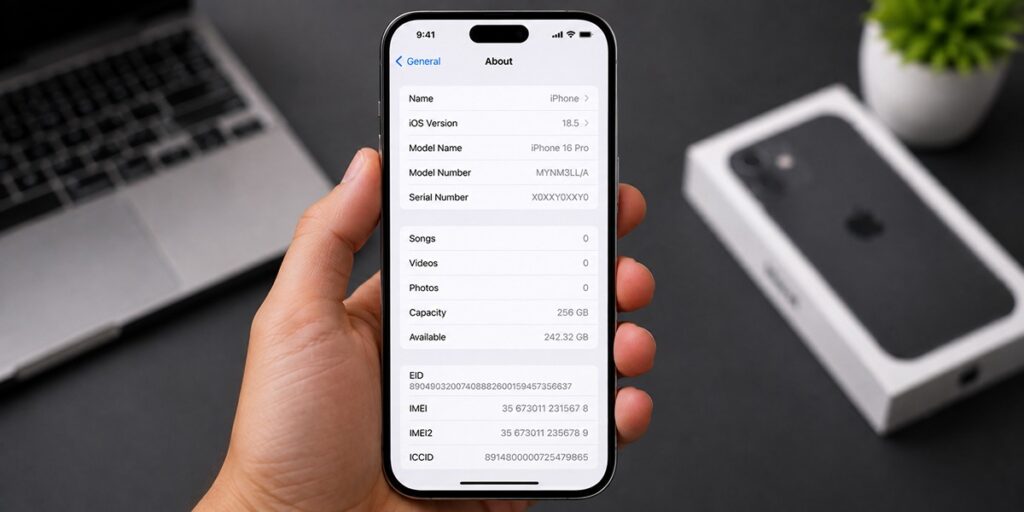
Use this method when you need to copy the number accurately instead of manually retyping fifteen digits from the screen.
Open Settings, tap General, then About. The serial number appears near the top. Scroll down to find identifiers such as EID, IMEI/MEID, and ICCID. Press and hold any of them to copy the information.
Worth clearing up the MEID while we’re here, because it often causes confusion: it is a legacy CDMA-era identifier and is not another name for IMEI. Apple may display IMEI/MEID together on older devices because the MEID corresponds to the first 14 digits of the 15-digit IMEI. If a form asks for your IMEI, use the full 15-digit number. If it specifically asks for MEID, use the 14-digit MEID.
Apple documents this screen for finding your serial number, EID, or IMEI, making it a useful reference if you need to locate these details regularly.
Method 3: Your Apple Account
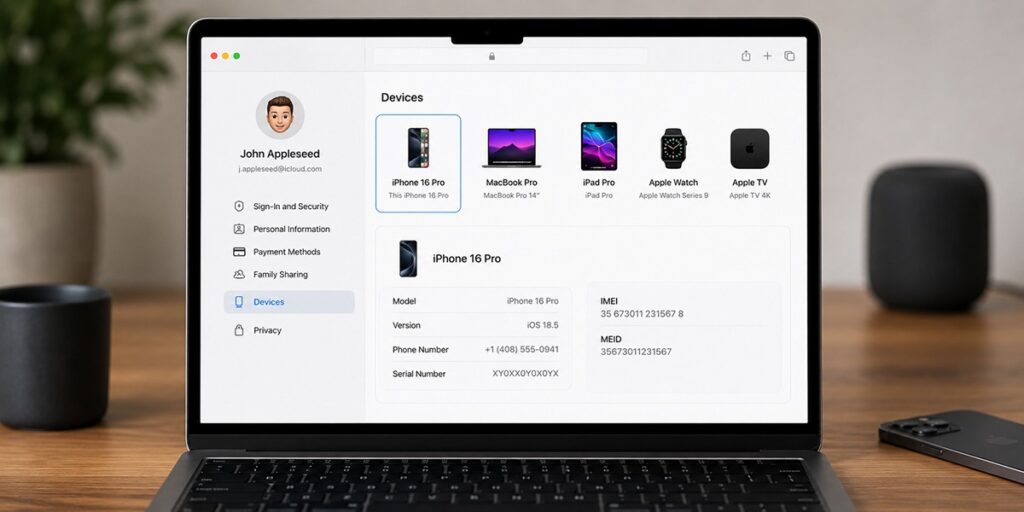
The advantage of this method is that your phone does not need to be with you, making it the first option to try if your device has been lost or stolen.
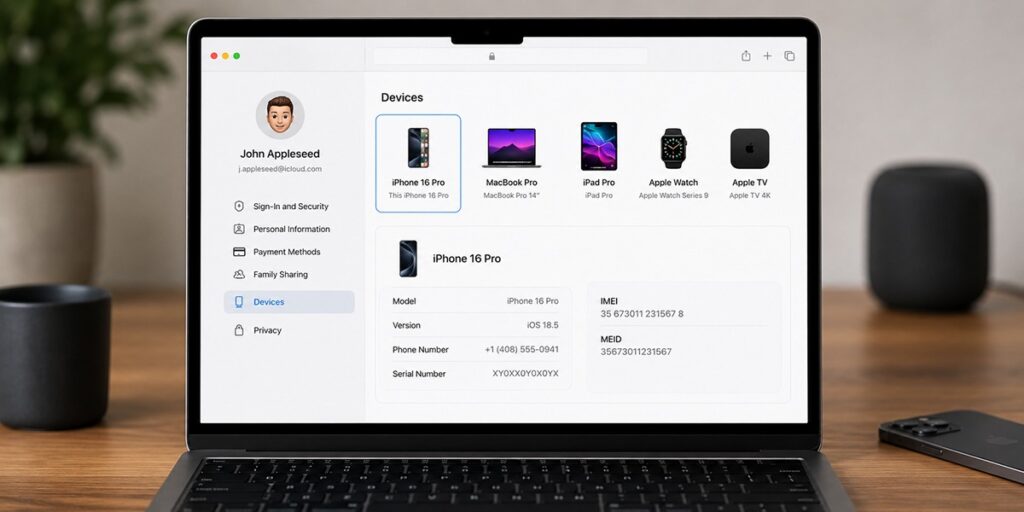
Sign in to appleid.apple.com, scroll down to the Devices section, and select the device you’re looking for. Your IMEI and serial number will be listed there.
Apple Account settings allow you to view information for devices linked to your account, so you do not need to have previously enabled Find My to access these details.
Method 4: The Box, and the SIM Tray
Both work on a completely dead handset. Which one applies depends entirely on how old your iPhone is, and this is exactly where most guides fall over.
The original packaging works for every model, no exceptions. Apple prints the serial number, EID and IMEI/MEID on the barcode label along the side of the box. If you kept it, this is the most dependable offline route there is.
The SIM tray engraving exists on iPhone 13 and earlier only. Apple stopped engraving from the iPhone 14 onward, so anyone holding a newer handset up to a lamp is hunting for something that was never put there.
And on eSIM only iPhones there’s no tray whatsoever iPhone 14 and later sold in the US, the iPhone 17 line across a number of markets, and the iPhone Air everywhere it’s sold. For those it’s the box or a digital method, full stop. Our guide to iPhone 17 eSIM breaks down which models ship tray less in which countries.
Method 5: When the iPhone Is Locked or Won’t Turn On
Here’s where people actually get stuck, and where most guides simply stop writing.
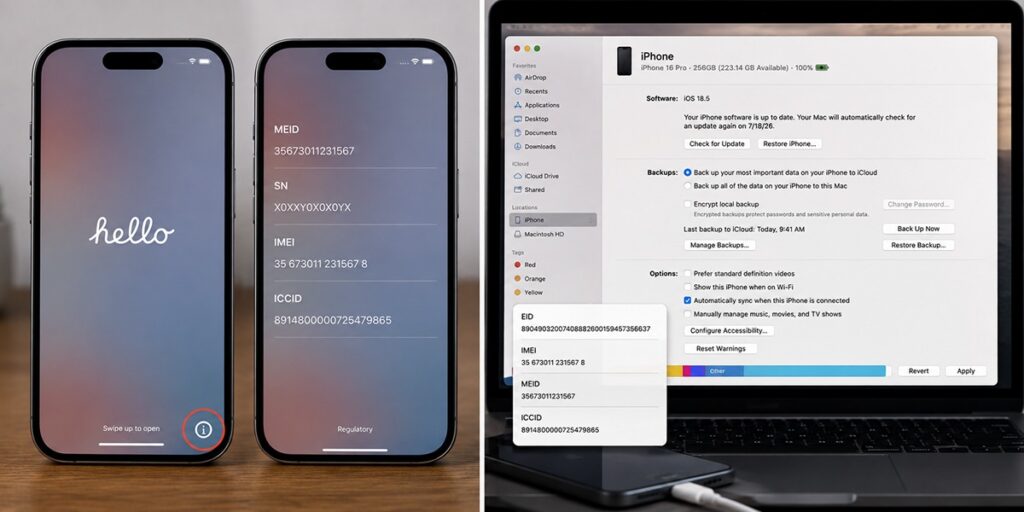
Phone on but locked, or freshly reset? You don’t need to get past the lock screen at all. On the “Hello” setup screen that appears after a wipe, tap the small i icon tucked into a corner. IMEI and serial number are right there, no credentials required. This is genuinely useful when you’re buying second-hand and the seller has handed you a reset device you can verify what you’re looking at before any money moves.
Phone unresponsive but still taking a charge? Plug it into a computer. On a Mac running macOS Catalina or later, open Finder; on Windows, the Apple Devices app or iTunes. Select the device, then click Phone Number beneath the device name to bring up the EID, IMEI/MEID and ICCID.
IMEI, EID, ICCID and Serial Number Which One Do You Need?
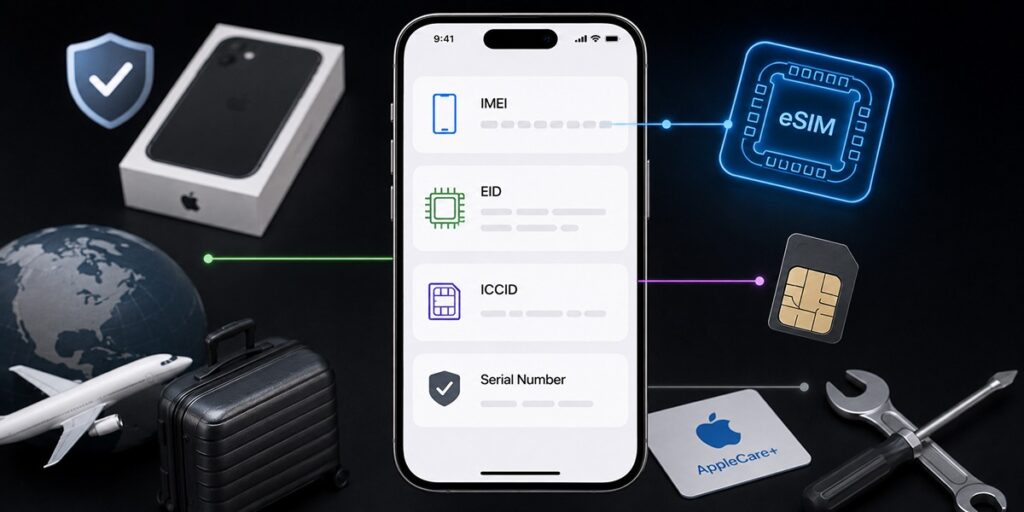
Four numbers live on the same Settings screen, and people hand over the wrong one all the time. Carriers rarely explain the difference either, which doesn’t help anybody.
| Identifier | What it identifies | When you need it |
| IMEI | The physical device | Insurance claims, selling or buying second-hand, blacklist checks, carrier lock checks |
| EID | The eSIM chip inside the device | eSIM activation, when a carrier or provider asks |
| ICCID | An individual SIM or eSIM line | Identifying which line is which on a dual-SIM phone; carrier support |
| Serial number | The device, for Apple’s purposes | AppleCare, warranty checks, repairs |
The EID is the one worth learning if you travel, and it’s remarkable how few IMEI guides mention it at all. It’s a long identifier noticeably longer than the 15-digit IMEI attached to the embedded chip that stores your eSIM profiles. The IMEI answers which phone is this. The EID answers which eSIM chip is inside it. Two different questions, and carriers don’t always make clear which one they’re asking.
Some ask for the EID when provisioning an eSIM remotely, which is why Apple gives it equal billing on that screen. Most QR-code travel eSIMs, ours included, don’t ask you for anything at all you scan, the profile installs, and you never look up a number.
What an IMEI Is and Why It Matters
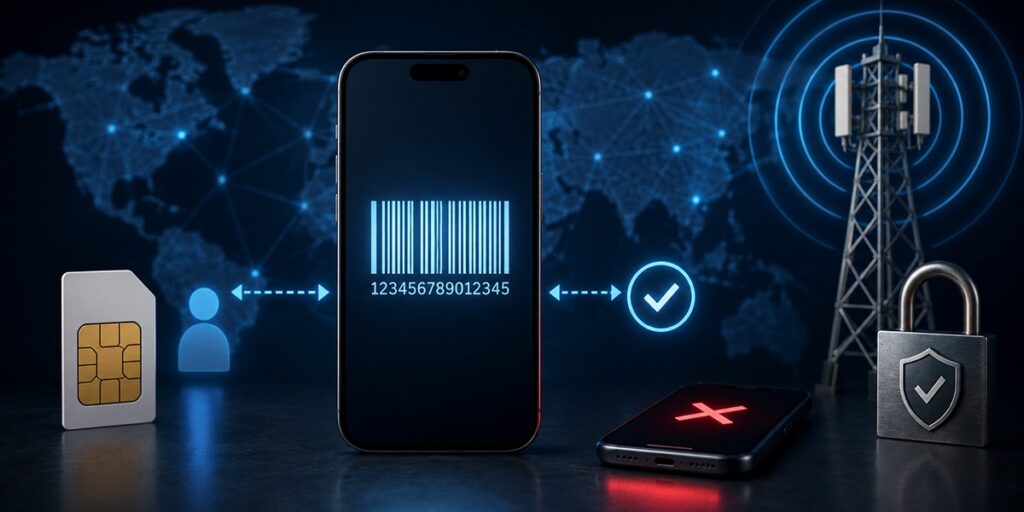
The IMEI International Mobile Equipment Identity is a unique 15-digit number assigned to every phone ever built. The cleanest way to hold it in your head: your SIM identifies you, your IMEI identifies the hardware.
Networks treat it as a gatekeeper. Carriers share a registry called the Equipment Identity Register, administered under GSMA standards, which lists legitimate device identities. Connect a phone for the first time and the network checks its IMEI against that list. Flagged number, blocked calls and data.
Which is what makes the IMEI worth something when a phone goes missing. Report it to your carrier or the police and the handset can be blacklisted after which it stops working on any network honouring the registry, regardless of whose SIM ends up inside it. The thief is left with an expensive paperweight.
If a check comes back blacklisted, the advice splits. Prospective buyer? Walk away, and don’t be talked around. Your own device? Go straight to your carrier, because blacklisting gets applied in error more often than people assume a bill settled late, a phone reported lost and then found in a coat pocket and whoever requested it can reverse it. What won’t work is swapping the SIM, switching network, or taking the phone abroad. The registry is shared, which is rather the point of it.
How to Check if Your iPhone Is Unlocked
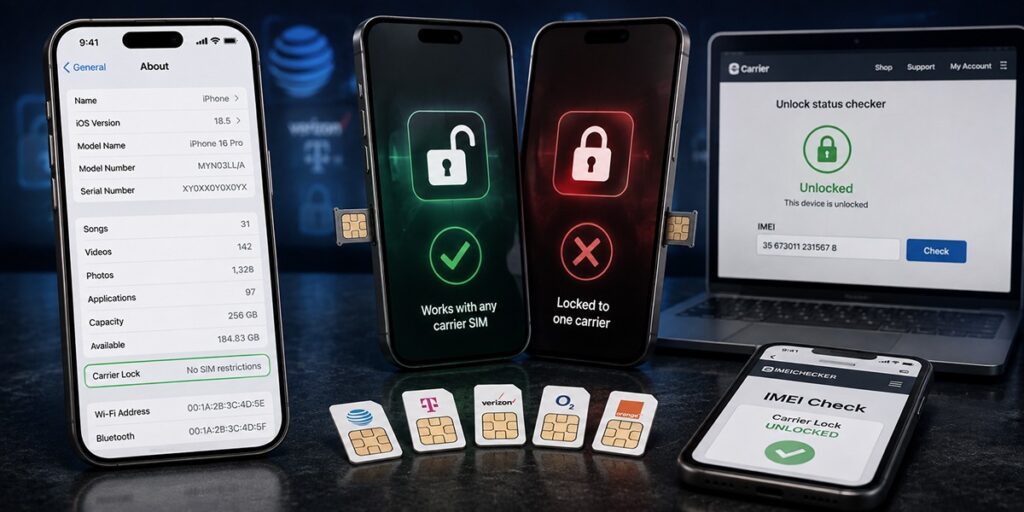
A locked iPhone works with one carrier and one only. An unlocked one takes any SIM you put in it. Buying second-hand, this matters every bit as much as the blacklist check and it’s considerably easier to verify.
- The quickest route is the phone itself. Settings → General → About, then find the Carrier Lock field. “No SIM restrictions” means unlocked. Anything else means it isn’t, whatever the seller told you on the doorstep.
- Your carrier will confirm it too. Most run a free unlock-status checker where you enter the IMEI.
- Third-party IMEI checkers are a crowded and uneven field. Plenty are free and reputable; others are paid, and a handful are considerably worse than that. If you use one, stick to a well-established name and never pay for information your carrier hands over for nothing.
IMEI, SIM and eSIM: How Device Identity Works
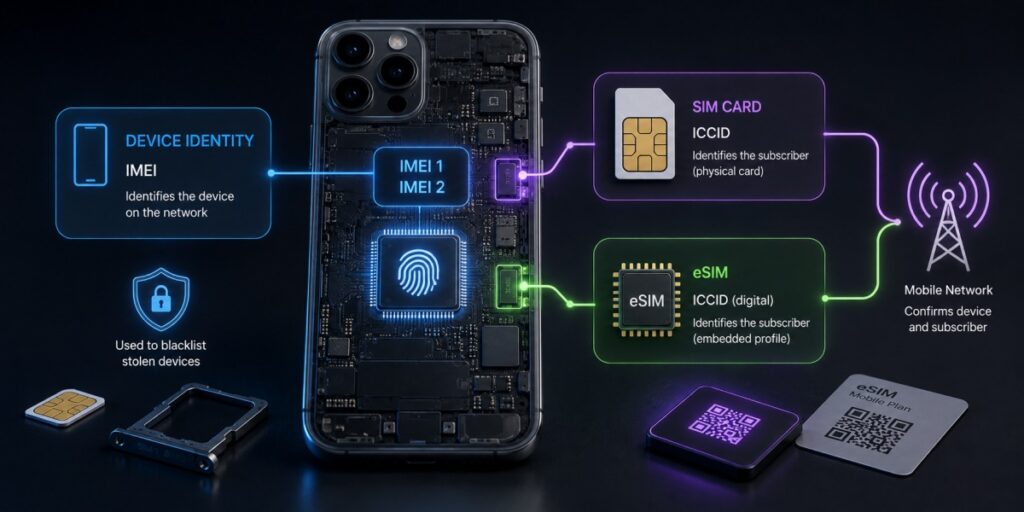
The IMEI is the phone’s ID card. The SIM or eSIM carries your subscriber details. Swap the SIM and the IMEI doesn’t budge; change the phone and it does.
| Aspect | IMEI | SIM card | eSIM |
| What it identifies | The device (hardware) | The subscriber/account | The subscriber/account (digital) |
| Identifier used | International Mobile Equipment Identity | ICCID | ICCID, stored digitally |
| Tied to | The phone itself | The physical card | The phone’s embedded chip |
| When you change device | New device, new IMEI | Move the card across | Re-download or transfer the profile |
| Role on the network | Tells the carrier which device is connecting | Tells the carrier who is connecting | Same as SIM, without the plastic |
| Security consideration | Used to blacklist stolen devices | Can be physically lost or stolen | Can’t be physically removed, but account security still matters |
Dual-SIM iPhones add a wrinkle, and a useful one. A dual-SIM iPhone carries two IMEIs IMEI1 and IMEI2 in Settings because each line uses its own. When a carrier asks for “the IMEI” on a dual-SIM handset, they mean the one belonging to the line you’re setting up, which is almost always the primary. Hand over the wrong one and you’ll spend twenty minutes wondering why activation keeps failing.
Is It Safe to Share Your IMEI?
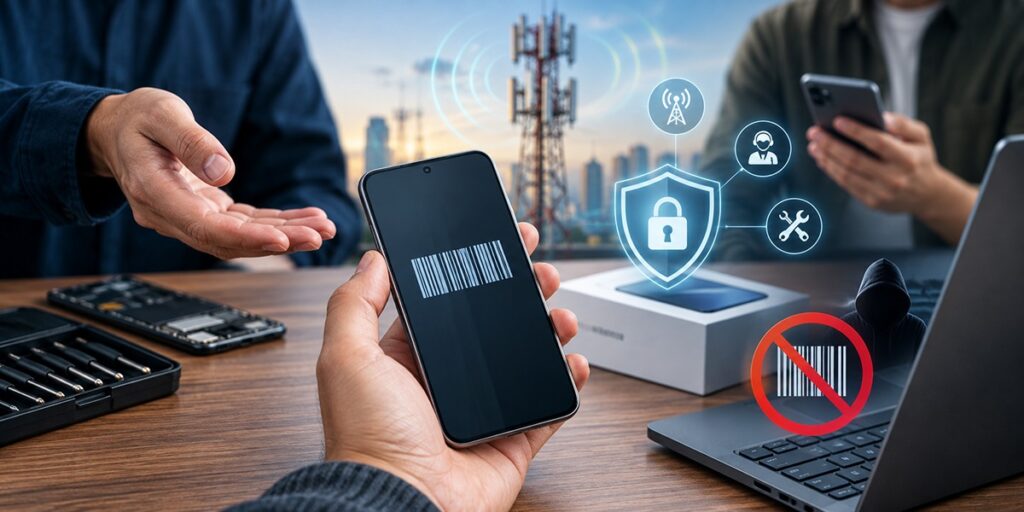
Broadly yes, within reason.
Carriers need it for registration and support. Repair shops need it. Anyone buying your phone is entirely right to ask, and refusing makes you look like you’ve something to hide. None of that carries meaningful risk.
What’s worth avoiding is publishing it in a marketplace listing photo, say, or a forum post where it’ll sit indexed indefinitely. A determined fraudster with your IMEI could attempt to clone it onto another handset, or report your device stolen out of spite. Neither is common, neither is possible with the IMEI alone, and neither is worth the precisely zero upside of broadcasting it.
On cloning: no two legitimate phones share an IMEI. Find two that do and one is running a counterfeit identity. When networks spot a duplicate they tend to blacklist the number outright, which takes down both handsets including whichever one was legitimate. That’s the part people find genuinely unfair, and it’s the hidden cost of an unusually cheap phone from a seller who can’t be traced.
Staying Connected Without the Paperwork

If you’ve landed here because you’re setting up a travel plan, there’s a fair chance you don’t need any of the above.
QR-code eSIMs generally skip the identifier step altogether. You can browse eSIM data plans by destination, install before you fly, and be connected before you’ve cleared passport control. The one check worth doing first is compatibility not every recent phone supports eSIM, particularly toward the mid-range end of the market and our eSIM compatible devices list has the detail. Or just dial *#06#: an EID alongside your IMEI means you’re covered.
Our how to install an eSIM guide walks through the setup itself.
FAQs
1. What is an IMEI number used for?
It identifies your specific handset to mobile networks used for activation checks, blacklisting lost or stolen devices, insurance claims, carrier-lock checks and second-hand verification.
2. How do I check my IMEI number on iPhone?
Fastest is dialling *#06#. Otherwise Settings → General → About, scrolling down to IMEI/MEID. If the phone isn’t to hand, check appleid.apple.com or the barcode on the original box.
3. How do I find the IMEI if my iPhone won’t turn on?
Check the original packaging, connect the phone to a computer and look under Finder or the Apple Devices app, or sign in to your Apple Account. On iPhone 13 and earlier the SIM tray engraving is another option but iPhone 14 and later don’t have one.
4. Is the IMEI the same as the serial number?
No. The serial number is Apple’s own identifier, for warranty and support. The IMEI is an industry standard number used by carriers and regulators. Both sit on the same Settings screen.
5. What’s the difference between IMEI and EID?
The IMEI identifies the phone; the EID identifies the eSIM chip inside it. If a carrier asks for an EID during eSIM setup, they want the longer number listed just above IMEI in Settings not the 15-digit one.
5. Why does my iPhone show two IMEI numbers?
Because it’s dual-SIM. Each line physical SIM or eSIM carries its own IMEI, shown as IMEI1 and IMEI2.
6. Does using an eSIM change my IMEI?
No. The IMEI belongs to the hardware and doesn’t change when you add, remove or switch eSIM profiles.
7. Can I check if my iPhone is unlocked using the IMEI?
Yes most carriers offer a free unlock-status check where you enter the IMEI. Faster still: Settings → General → About, and read the Carrier Lock field. “No SIM restrictions” means unlocked.
8. Can two phones have the same IMEI?
Not legitimately. Duplicates point to a cloned or counterfeit identity, and networks generally blacklist the number when they detect one disabling both handsets in the process.
9. What do I do if my IMEI is blacklisted?
Contact your carrier. Blacklisting is sometimes applied in error and can be reversed by whoever requested it. Changing SIM, network or country achieves nothing.
Before You Go
Two methods are worth committing to memory: *#06# when you need the number fast, and Settings → General → About when you need to copy it properly. That second screen is also where the EID lives, for the day an eSIM setup asks for it.
And if you’re heading abroad, sort your data before you fly rather than at an airport counter at midnight. Buy eSIM for your destination and it’ll be live the moment you land.
Leave a Reply