
The short answer is yes — your phone will almost certainly work in Europe, as long as it’s unlocked and reasonably recent. That “as long as” is the whole ballgame, though, and it’s exactly the bit most first-timers breeze past until they’re standing in an arrivals hall in Rome with no signal and no way to summon a cab. The hardware is rarely the issue: Europe runs on the same GSM/LTE/5G technology as US carriers, so your phone will find a network. What actually decides your trip is three things — whether your phone is carrier-unlocked, whether it supports the right bands, and which way you choose to connect once you land. Here’s the two-minute check, and all three options laid out.
Will My US Phone Work in Europe?

For almost everyone, yes. Europe’s networks run on GSM/LTE/5G — the same technology behind AT&T and T-Mobile — and virtually every US phone from around 2017 on supports the bands used across the continent. (That old “but the US uses CDMA” worry you might have read? Out of date — American carriers have moved fully to GSM/LTE/5G.) Your phone will get a signal.
The catch was never the hardware. It’s your plan and your lock status. Left on your normal US plan, your phone will happily connect to a European network the moment you land — and just as happily start racking up roaming fees, often around $10–$15 a day for data, frequently at slower speeds. So it’ll work; you just may not love the bill waiting for you. Which is precisely why the check below is worth two minutes before you fly.
How to Check Your Phone Will Work in Europe

Two minutes now buys you a much calmer arrival. Three things to confirm:
- Is your phone unlocked? This is the one that trips people up — a carrier-locked phone won’t accept a local SIM or an eSIM, however good the plan you’ve bought.
iPhone: Settings → General → About → scroll to Carrier Lock. “No SIM restrictions” means you’re unlocked; “SIM Locked” means you’ve got a call to make.
Android (Samsung): Settings → Connections → Mobile networks → Network Operators. If networks other than your own carrier show up, you’re probably unlocked.
Still not sure? Ring your carrier and ask them to confirm — and to unlock it if needed. Most US carriers will, once the phone’s paid off. - Does it support the bands? Nearly all recent phones do. If yours is on the older side, check the box, the manual, or the manufacturer’s spec page for GSM / LTE / 5G support.
- Is it eSIM-capable? If you want the easiest route, make sure your phone handles eSIM — most iPhones from the XR on, plus recent Samsung, Pixel, and other flagships, do. Our eSIM Compatible devices list is the quickest way to check yours.
Your Options: Roaming vs Local SIM vs eSIM
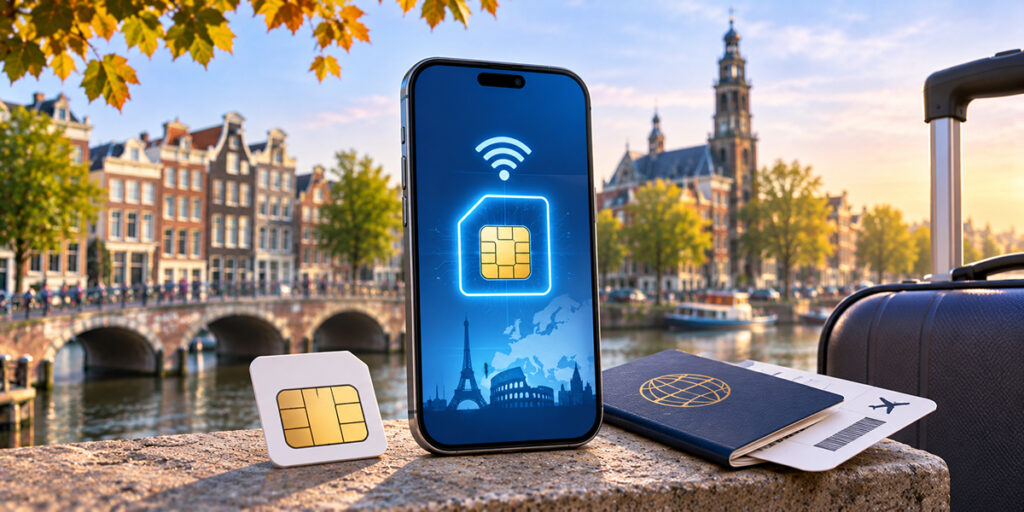
Once your phone’s passed the check, there are three ways to stay connected — and if you already know you want the digital route, you can browse esim data plans for Europe before you even pack:
- Carrier roaming / day pass — the do-nothing option. Keep your plan and number, pay around $10–15 a day. Fine for a long weekend; it stings over a fortnight.
- Local SIM — cheap local rates, but you’ll be hunting for a shop, showing ID, swapping your card, and giving up your US number for the trip.
- Travel eSIM — buy a European data plan online before you go, scan a QR code to install it, and skip roaming altogether. No card to swap, no store to find.
Here’s how eSIM and physical SIM actually compare:
| Feature | eSIM (digital SIM) | Physical SIM card |
| Setup | Download a plan online, activate in minutes | Buy and insert a physical card |
| Coverage | Works across Europe (and 190+ countries) via major networks | Tied to the local carrier’s network |
| Convenience | No swapping or losing cards; switch plans in-app | Swap cards; easy to lose |
| Cost | Competitively priced for travelers | Can be cheap — but only if you swap cards country to country |
| Switching | Add or change profiles instantly on your phone | Change countries by swapping SIMs |
Keeping Your US Number (and the Airplane-Mode Tip)

Here’s a detail that catches first-timers out: a European local SIM comes with a European number, which means nobody can reach you on your usual US number unless your phone runs dual SIM. This is where an eSIM quietly wins — you keep your US SIM active for calls and texts on your home number, and let a European eSIM carry the data. Nearly every recent phone can do both at once.
One more small habit that saves real money: flip on Airplane Mode as you land, then switch Wi-Fi and your eSIM back on. That stops your US SIM from silently roaming in the background — the sneaky way charges pile up — while your eSIM does the actual work.
How to Set Up Your Phone Before You Fly

Do all of this on Wi-Fi at home, before you leave:
- Run the check above — unlocked, band-compatible, eSIM-capable.
- Pick your option — a roaming add-on, a plan to grab a local SIM, or a travel eSIM.
- Going the eSIM route? Buy and install it before departure; it activates when you land.
- Tune your settings — only turn on roaming if you’re deliberately using your home plan, and switch off background app refresh and auto-backup to spare your data.
- Download for offline use — maps, your key travel apps, and a language pack, so you’re leaning on data less once you’re there.
Staying Connected with an Airhub eSIM

If you’d rather step off the plane already online, an esim europe plan from Airhub is the low-friction way to do it: buy a data (and, on some plans, calling) package online, download it to your phone, and you’re covered the second you arrive — no store, no SIM swap, no roaming bill trailing you home.
After the Trip: Reset Your Settings

Home again? Undo the travel setup so nothing bills you by surprise:
Switch data roaming off in your settings.
If you used a travel eSIM, disable or remove the profile — and pop your US SIM back in if you’d taken it out.
Log into your carrier account and cancel any international add-on or day pass you switched on.
And that’s it — your phone’s back to its everyday self.
FAQs
1. Will my US phone work in Europe without changes?
Yes, if it’s unlocked and fairly recent. Europe uses the same GSM/LTE/5G technology as US carriers, so your phone will get a signal — you just need to decide how you’ll pay for data (roaming, local SIM, or eSIM).
2. How do I know if my phone is unlocked?
On an iPhone: Settings → General → About → Carrier Lock (“No SIM restrictions” means unlocked). On Android: Settings → Connections → Mobile networks → Network Operators. Still unsure? Ask your carrier — most will unlock a phone once it’s paid off.
3. Do I need to unlock my phone for Europe?
Only if you want to use a local SIM or a travel eSIM — a locked phone won’t take either. If you’re staying on your US carrier’s roaming plan, you don’t need to unlock, but you’ll pay roaming rates.
4. What’s the cost difference between an eSIM and a European local SIM?
They’re broadly similar. A local SIM can be a touch cheaper on a long stay, but you have to find a store and swap cards; an eSIM costs about the same, installs online in minutes, and lets you keep your US number via dual SIM.
5. How do I turn off data roaming after my trip?
Go to your phone’s settings and switch data roaming off, delete or disable any travel eSIM profile, reinsert your US SIM if needed, and cancel any international add-on with your carrier.
Leave a Reply