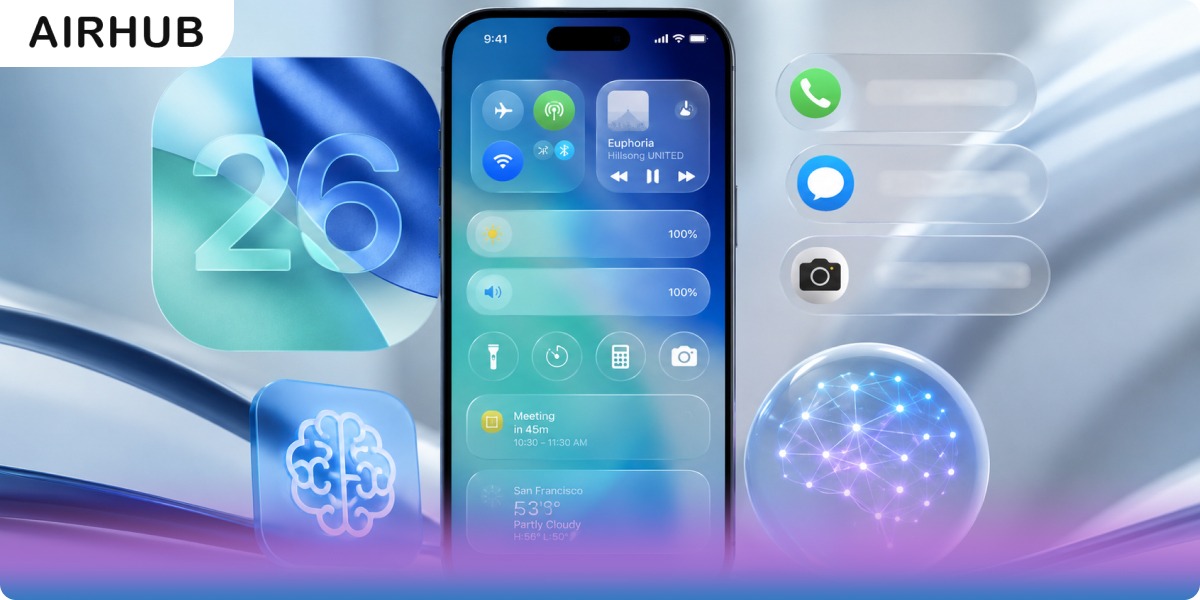
A year is long enough to be honest about a software release. iOS 26 landed on 15 September 2025, three months after Apple unveiled it at WWDC and a week after the iPhone 17 lineup, and it arrived carrying the loudest design change Apple has attempted in a decade. Plenty of people hated it on sight. Some of them were right.
Which makes “what’s new in iOS 26” the wrong question at this point. The useful one is narrower: after twelve months and six point releases, which of these features do people still actually use, and does any of it matter with iOS 27 due this autumn?
It does, particularly if you travel. Beyond the redesign everyone argued about, iOS 26 shipped a set of call and translation tools that quietly became indispensable, and made one structural change almost no feature roundup bothers to mention: it rewrote how iPhones connect to mobile networks. We’re on iOS 26.6 now. Here’s what held up.
Liquid Glass: the Redesign That Defined iOS 26
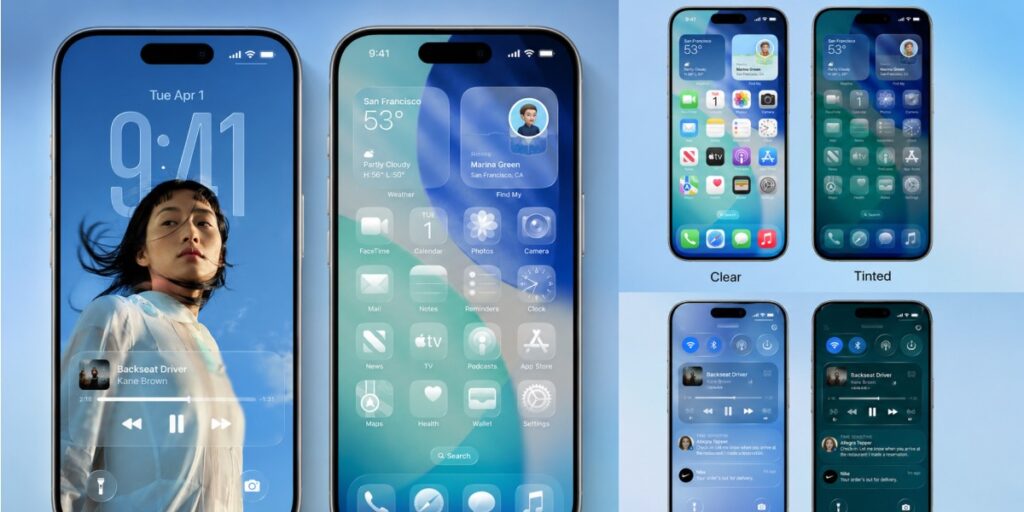
Remember one thing about this release and it should be Liquid Glass. Apple’s own description, a more expressive, seamless experience across the Lock Screen, Home Screen, apps, navigation and controls, is doing a lot of work. What it actually means is a translucent material that floats interface elements above your content and reacts to whatever sits behind them.
The rework goes considerably deeper than a new coat of paint. Windows, menu bars and controls all picked up rounder corners. Toolbars now live on a distinct functional layer above your apps, and menus morph to surface more options depending on context. Tab bars shrink out of the way as you scroll, then slide back when you scroll up, refracting the content behind them as they go. Camera, Photos, Safari, FaceTime, Apple Music and Podcasts were all substantially redrawn.
Where it shows off hardest is the iOS 26 lock screen. The clock expands and contracts to fit around the subject of your wallpaper rather than sitting flatly on top of it, so your photo stops being wallpaper,behind,furniture. Tilt the phone and you get a 3D parallax effect. On the Home Screen, icons and widgets are assembled from multiple Liquid Glass layers for a sense of depth, and you can tint them or run them clear, light or dark to match whatever’s behind.
Now the part worth knowing if you tried it at launch and gave up. The original transparency drew genuine, well-founded criticism, certain interface elements were simply harder to read than the design they replaced, and no amount of “you’ll get used to it” fixed that. Apple has since added a Liquid Glass setting offering a choice between the default clear look and a tinted option that raises the opacity of the material in apps and on Lock Screen notifications. If legibility was your objection twelve months ago, the objection has largely been answered.
Apple Intelligence and Visual Intelligence
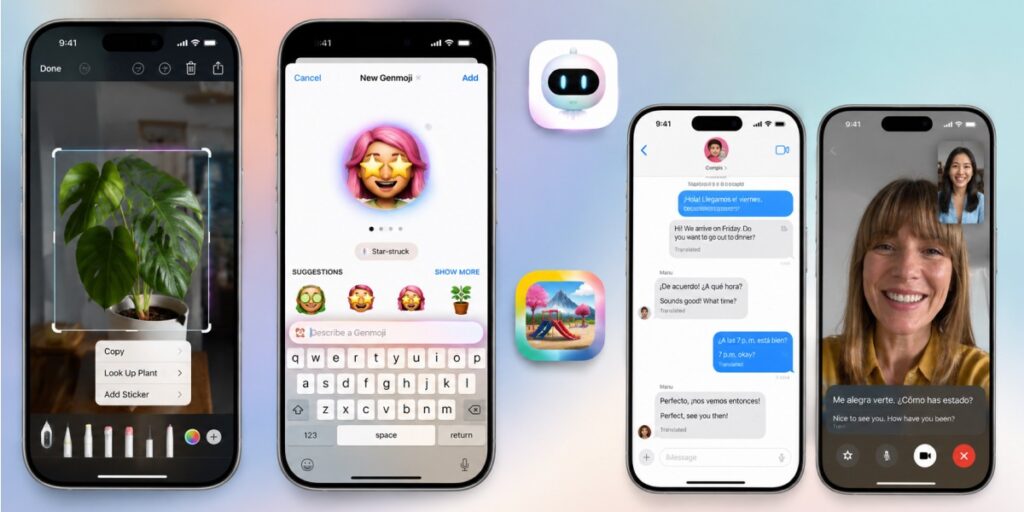
Apple Intelligence didn’t debut with iOS 26. What this release did was stop treating it as a destination and start folding it into things you were already doing.
The best example is Visual Intelligence inside the screenshot tool. Grab a screenshot and you can search whatever’s on screen without leaving the app, the actor you don’t recognise, the plant you’re not sure is poisonous, the product you want to price. It’s Apple’s answer to Circle to Search, and it kills the small, constant friction of hopping over to Safari to look things up by hand.
Genmoji lets you describe an emoji or blend existing ones, including versions built around people in your photos, while Image Playground handles generated images more broadly. Live Translation runs across Messages and, more impressively, on phone and FaceTime calls in real time as you speak.
One caveat that catches people out constantly: Apple Intelligence sits behind a far higher hardware bar than iOS 26 itself. The compatibility section below sorts out who gets what.
Calls and Messages: the Sleeper Hit
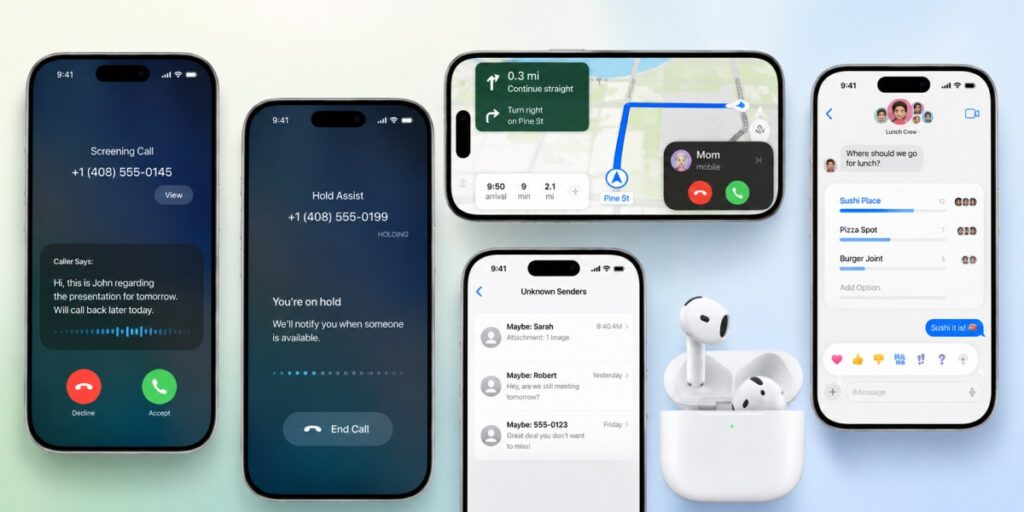
Ask people a year on which iOS 26 features they’d miss, and it isn’t the redesign they name. It’s this stuff, the leastcovered part of the release.
Call Screening picks up unknown numbers on your behalf, asks who’s calling and why, and hands you a transcript before you decide whether to engage. If you’re one of the many people who simply stopped answering their phone somewhere around 2019, that’s a genuine behavioural change rather than a feature. Hold Assist does the adjacent job, waiting on hold and ringing you back once an actual human arrives.
Messages gained votes in group chats, which turned the forty-reply restaurant argument into a single tap. Unknown senders can be filtered into their own screening list, conversations pinned, Tapbacks expanded, chat backgrounds customised. Incoming calls also switched to a compact view, so a call no longer buries your turn,by,turn directions at the exact moment you need them.
AirPods 4 and AirPods Pro 2 owners got something too: studio,quality audio recording, plus better sound on calls and video.
Everyday App Upgrades
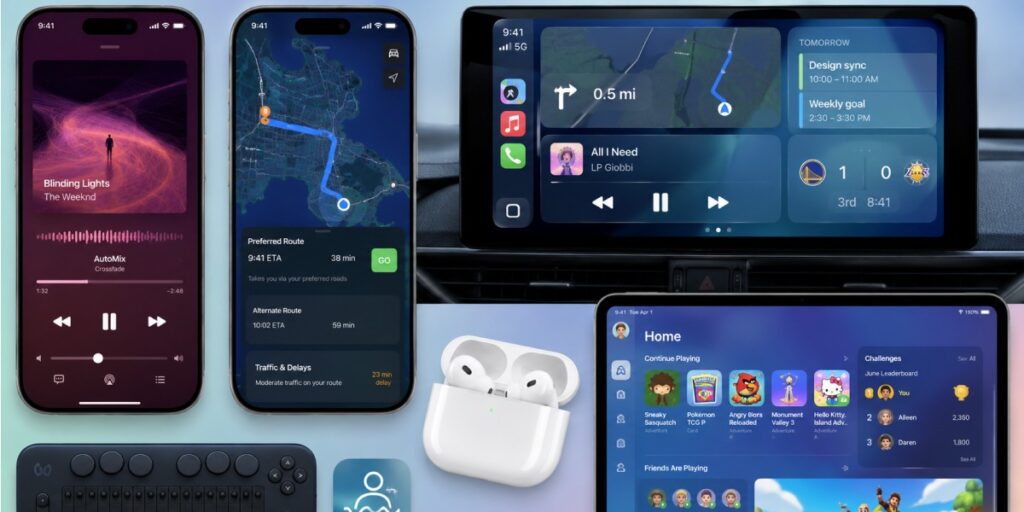
Apple Music picked up AutoMix, which uses time,stretching and beat matching to slide one track into the next rather than cutting between them, closer to a DJ set than a playlist. Apple Maps added Visited Places for retracing where you’ve been, and its on,device intelligence now learns your regular commute, surfacing preferred routes and flagging delays before you hit them.
Elsewhere, a new Apple Games app pulls discovery, leaderboards, recommendations and challenges with friends into one place, and CarPlay got the full Liquid Glass treatment along with widgets and Live Activities syncing from your phone.
Accessibility improved in ways that deserve more attention than they got: better Braille support for notetaking and reading on a connected display, and Vehicle Motion Cues to reduce motion sickness for passengers.
Since iPadOS 26 shares the same foundation, nearly all of this reaches iPad as well, Liquid Glass, Genmoji, Image Playground, subject to the same chip requirements.
Battery and Performance
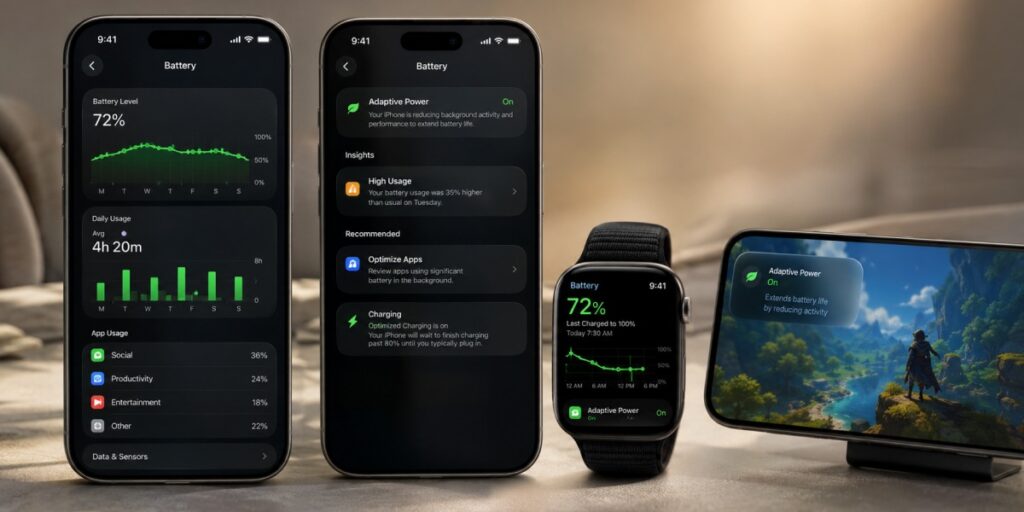
Settings’ Battery section was rebuilt around a sensible idea: show people their own patterns rather than a single number. You get a weekly usage view, alerts when consumption climbs above your normal baseline, and clearer attribution of which apps are doing the damage.
The genuinely new addition is Adaptive Power Mode, which trims background activity and dims the display when it detects unusually heavy drain, intervening early instead of waiting for you to notice 20% and start panicking.
Performance is a more complicated story than the marketing suggests. Animations were tightened systemwide, so apps open and transitions land faster. But Liquid Glass asks more of the GPU than the design it replaced, and on the oldest supported hardware those two forces roughly cancel out. “Snappier on every iPhone” isn’t true, and anyone telling you it is hasn’t run it on an iPhone 11.
Privacy and Security
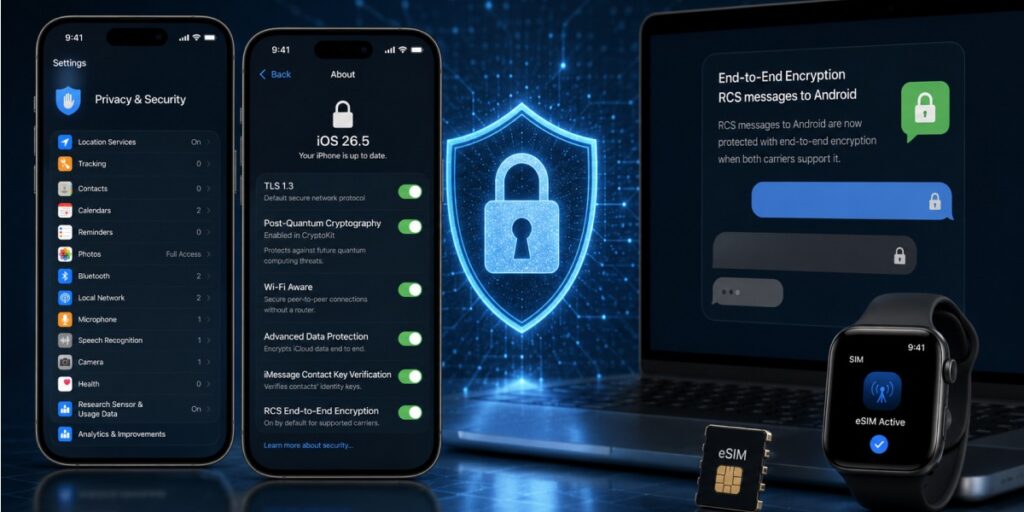
Apple moved the cryptography forward here in ways most users will never see. iOS 26 defaults to TLS 1.3 for networking and brings postquantum encryption algorithms into CryptoKit, groundwork against decryption threats that don’t exist yet rather than anything you’ll notice on a Tuesday.
Wi,Fi Aware handles direct device-to-device connections for local multiplayer, file transfer and similar, cutting out the router entirely while keeping those peer-to-peer links authenticated and encrypted at the WiFi layer.
Most of the rest was extension rather than invention. Advanced Data Protection for iCloud, which Apple actually introduced back in iOS 16.2, not recently, despite how often it gets miscredited, now covers more data categories automatically, and Hide My Email and iMessage Contact Key Verification behave consistently across the system.
The point releases kept going. iOS 26.5 brought end-to-end encryption to RCS messages between iPhone and Android, meaning texts to Android contacts can finally carry iMessage grade protection, provided both carriers support the latest RCS version. It’s on by default, with a toggle in Messages settings.
That security posture is also, not coincidentally, part of Apple’s argument for eSIM. Which brings us to the change that matters most if you travel.
eSIM on iOS 26 and iPhone 17: What Actually Changed
Here’s the shift that received the least coverage and affects travelers the most. Apple didn’t merely make eSIM easier in this generation. On several models, it removed the alternative.
Does your iPhone still have a SIM tray?
| Model | Region | SIM setup |
| iPhone 17, 17 Pro, 17 Pro Max | US, Canada, Japan, Mexico, Bahrain, Kuwait, Oman, Qatar, Saudi Arabia, UAE, Guam, US Virgin Islands | eSIM only, no physical tray |
| iPhone 17, 17 Pro, 17 Pro Max | Europe, UK, Australia, most of Asia and South America | Hybrid, nano,SIM tray plus eSIM |
| iPhone 17, 17 Pro, 17 Pro Max | Mainland China | Nano,SIM only, no eSIM support |
| iPhone Air | Everywhere, including mainland China | eSIM only, Apple’s first globally SIM,free iPhone |
The iPhone Air is the landmark: the first iPhone sold with no SIM tray in any market on earth. Getting there required Apple to negotiate with local carriers, China Unicom chief among them, to make the model viable in China at all.
One warning worth taking seriously. The standard iPhone 17 sold in mainland China carries no eSIM support whatsoever. If a gray market listing looks unusually cheap, check the model origin carefully, you can end up owning a phone that cannot use an eSIM even once you’re back home, which on a device this dependent on eSIM is close to unusable for travel.
Managing eSIM profiles
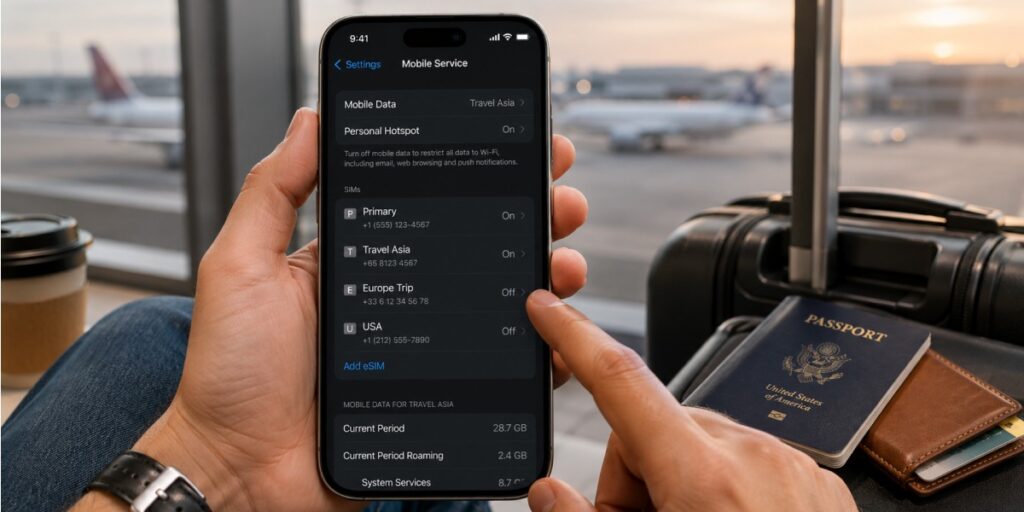
iPhone 17 models hold at least eight eSIM profiles and run two lines simultaneously. For frequent travelers that’s the whole game: your home number stays live for banking codes and two-factor logins while a travel plan carries the data. On eSIM,only hardware both active lines are digital, and with no tray to fall back on, this stops being a convenience and starts being the only workable arrangement.
A small habit that pays off: name profiles by destination as you install them, and clear out ones you won’t reuse. Multiple stored profiles do consume a little device storage, and scrolling a Settings list of eight identically named entries while a boarding queue moves past you is a specific kind of misery.
Setting up an eSIM on iOS 26
Because Settings was redesigned along with everything else, most guides online still show screens that no longer exist. The current flow is short:
- Connect to Wi,Fi before you travel, install at home, not in an airport queue.
- Buy your plan and receive a QR code or activation link.
- Open Settings → Cellular → Add eSIM.
- Scan the QR code, or install directly through the provider’s app.
- Label the plan by destination, choose which line carries data, and leave your home line active for calls and texts if you want it.
If you’re unsure whether your device qualifies, our eSIM compatible devices page has the full list, and there’s a longer walkthrough on how to install an eSIM on iPhone.
Where AirHub fits
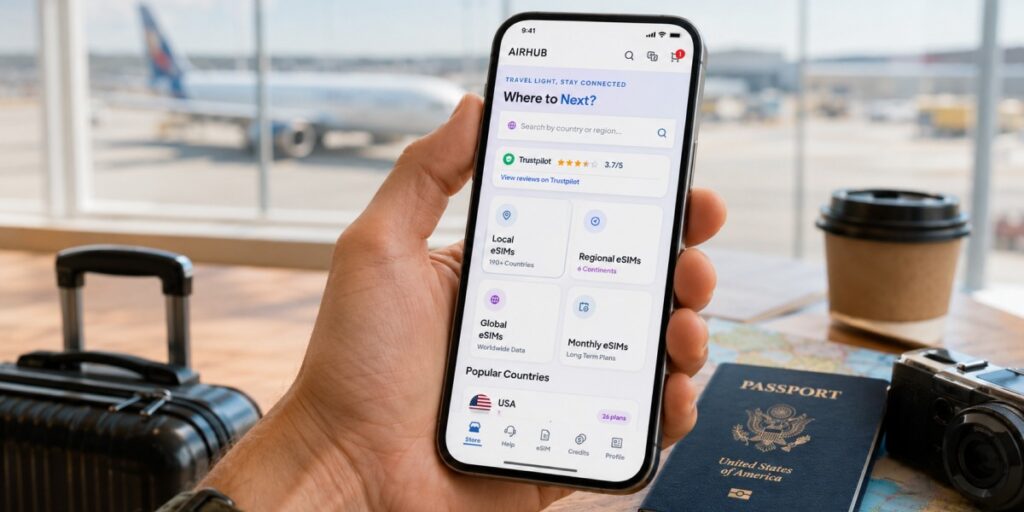
Airhub sells prepaid travel plans across 190+ countries, installed by QR code in a couple of minutes. The distinction actually worth knowing is this: most travel eSIM providers sell data and nothing else. When you need a working number abroad, the restaurant that phones to confirm, the driver who can’t find you, the bank that refuses to text, an eSIM with data and voice calls does something only plan structurally cannot.
For straightforward data coverage, browse the eSIM plans by destination.
Which iPhones Run iOS 26?
Two compatibility tiers operate here, and conflating them is where most disappointment originates.
Tier one is iOS 26 itself, which runs on any iPhone with an A13 Bionic chip or newer: iPhone 11, 11 Pro and 11 Pro Max, the full 12, 13, 14, 15, 16 and 17 lines, iPhone Air, iPhone 16e, and iPhone SE from the 2nd generation onward. The iPhone XR, XS and XS Max were retired with this release, all three run the A12 and had already banked seven major iOS versions, which is a longer run than most Android flagships manage.
Tier two is Apple Intelligence, and the bar is considerably higher: iPhone 15 Pro and 15 Pro Max, the iPhone 16 family, the iPhone 17 lineup and iPhone Air, plus M1 or A17 Pro iPads. In silicon terms, A17 Pro, A18, A18 Pro, A19, A19 Pro or M,series. The trap sits right there, a standard iPhone 15 runs iOS 26 without complaint but gets none of the AI suite, and a great many people discovered that the hard way.
A few further conditions attach to Apple Intelligence: roughly 7GB of free storage, a device language and Siri language that both match a supported language, and separate restrictions in mainland China. To confirm exactly what you’re holding, open Settings → General → About and check the Model Name.
What’s Coming in iOS 27
iOS 27 arrives this autumn with the long,delayed Siri overhaul as its headline. Apple’s attention has visibly moved on already, iOS 26.6 is a deliberately light release whose main job is preparing the ground, optimising the Spotlight index so that the reindexing the new Siri depends on runs faster when you upgrade.
If you’re tempted by the iOS 27 beta, the usual rule holds and holds harder than people like to admit: betas belong on spare devices, not on the phone you’re relying on in a country where you don’t speak the language.
FAQs
1. Does iOS 26 improve battery life?
Not at the hardware level, the cell chemistry hasn’t changed. What improved is visibility and control: a weekly usage view, alerts when consumption exceeds your own baseline, clearer flagging of power,hungry apps, and Adaptive Power Mode, which cuts background activity and dims the display during heavy drain.
2. Is iOS 26 faster on older iPhones?
Animations were tightened system wide, so transitions and app launches feel quicker. But Liquid Glass is graphically heavier than the design it replaced, so on the oldest supported models, the iPhone 11 especially, the honest verdict is “still perfectly usable” rather than “faster.”
3. Which iPhones support iOS 26?
iPhone 11 and later, plus iPhone SE (2nd generation and later), anything with an A13 Bionic chip or newer. The iPhone XR, XS and XS Max were dropped.
4. Do I need a new iPhone for Apple Intelligence?
You need an iPhone 15 Pro or Pro Max, an iPhone 16,series model, or an iPhone 17,series model or iPhone Air. A standard iPhone 15 or anything older runs iOS 26 but not the AI features.
5. Does the iPhone 17 have a SIM card slot?
Depends where you bought it. In the US, Canada, Japan, Mexico and several Gulf states, the iPhone 17, 17 Pro and 17 Pro Max are eSIM,only with no tray at all. In Europe, the UK and most other markets they keep a nano-SIM slot alongside eSIM. The iPhone Air is eSIM,only worldwide.
6. How many eSIMs can an iPhone 17 hold?
At least eight stored profiles, two of them active at once, enough to keep your home number live while a travel plan handles data.
7. What privacy and security upgrades came with iOS 26?
Stronger cryptography (TLS 1.3 by default, post, quantum algorithms in Crypto Kit), Wifi Aware for encrypted peer-to-peer connections, wider Advanced Data Protection coverage, and, arriving in iOS 26.5, end-to-end encryption for RCS messages with Android users on supporting carriers.
8. Do these features work on iPad?
Most of them. iPadOS 26 shares the Liquid Glass design and the Apple Intelligence tools, under the same chip requirements, M1 or A17 Pro and above for anything AI.
Before Your Next Trip
The most consequential thing iOS 26 did wasn’t the redesign that dominated the discourse for six months. It was making eSIM the default and, on a growing list of models, the only way your iPhone connects to a network at all.
If your phone has no SIM tray, sorting a travel plan before you fly stops being optional. Install your eSIM at home over Wifi and it’s live the moment you land.
Leave a Reply