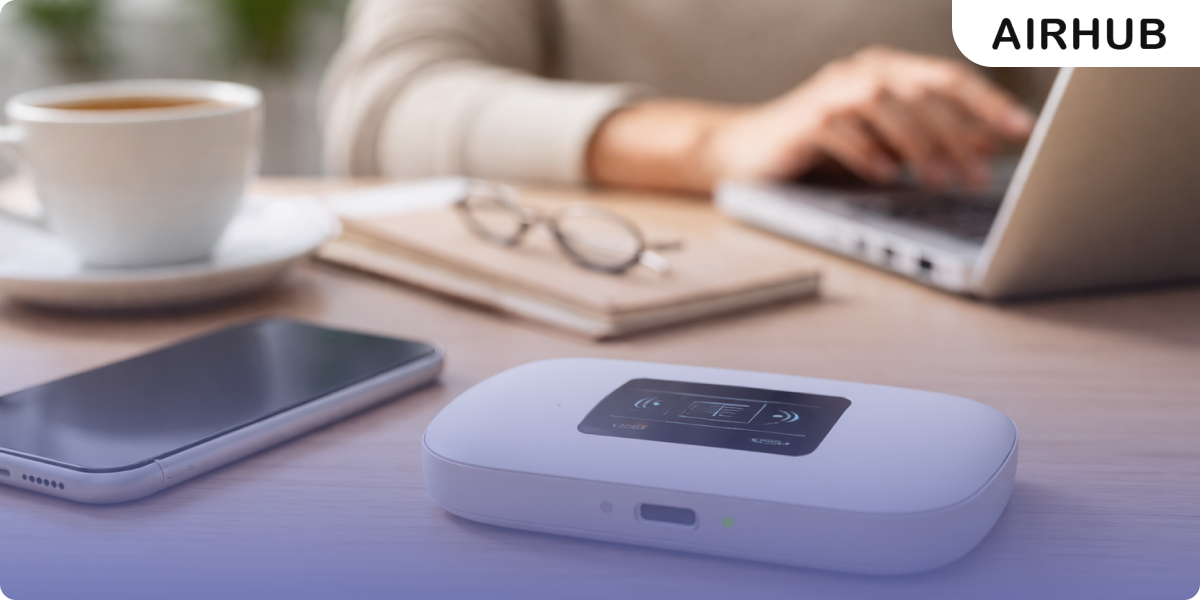
We live in a time when staying connected isn’t a luxury, but it’s a necessity. A pocket WIFI is a compact device that gives you reliable wireless internet, no matter where you are. Think of it as a mini-router that fits in your palm: switch it on, and it pulls a signal from nearby cellular networks to create your own private WIFI hotspot. Your phone, tablet, or laptop connects to it just like any home network, without depending on sketchy public WIFI. For anyone who travels frequently or commutes long distances, it’s a practical way to dodge those painful data roaming charges.
What is a Pocket WIFI?
A pocket WIFI is essentially a tiny wireless router, also known as portable mobile WIFI, that you can carry in your pocket. It works over cellular networks and at the same time broadcasts its own WIFI network to connect your devices to the internet anytime with no data roaming. Simply put, it’s compact enough to toss in a bag and gives you your own portable internet connection on the go.
Your smartphone, tablet, or laptop connects to it just as they would at home, except you’re not tied to a desk. Travelers and remote workers swear by these little devices, especially on long trips or in areas where reliable internet is hard to come by. Just pop in a local SIM or eSIM, and it latches onto 4G or 5G networks before broadcasting a WIFI signal, essentially your own router in your pocket.
How Does a Pocket WIFI Help You?

There are many ways in which a pocket WIFI can be a Lifesaver for getting online:
- Effortless Portability: Small enough to slip into a pocket or bag, these mini-routers go wherever you go, no hunting for hotspots, no dead zones, just steady internet on the move.
- Multi-Device Connection: One portable WIFI hotspot can handle phones, tablets, and laptops all at once, which is a lifesaver when you’re traveling with family or a group sharing a single plan.
- Roaming Saver: Because the device runs on a local data plan, your phone never has to touch international roaming, and your wallet stays happy for it.
- Secure Connection: It is a private setup that keeps your personal information completely secure. A pocket WIFI is way better than a public WIFI as it does not compromise your security.
How does a Portable WIFI Work?
Learning how a portable WIFI works is pretty straightforward, just a few simple steps:
- Power On: Identify the power on button and press it so that the pocket WIFI catches the signal.
- Connect to Network: The pocket WIFI grabs a mobile data signal through its internal SIM (or eSIM) and connects to the local 4G/5G network.
- Broadcast WIFI: Once connected, it broadcasts its own private WIFI network (SSID) to which your devices can link.
- Connect Devices: Any WIFI device can join by selecting that network and entering the password. Now your gadgets share the pocket router’s internet connection.
What is the Cost of a Portable WIFI Router?

Internet device portable costs vary depending on where you are and how long you need it. In the US, rentals typically run around $10–$15 per day, roughly $35 for a week, or close to $200 for a full month. If you’d rather own one outright, most pocket WIFI routers sell for somewhere between $20 and $60, though you’ll still need to budget separately for a data plan.
Europe tends to be more affordable, with some providers offering unlimited data from as little as €3.95 a day. Before you commit to anything, read the fine print: many rental companies ask for a security deposit upfront and may tack on fees for late returns or accidental damage. For a quick getaway, a daily rental is usually the most hassle-free option, but if you’re staying longer, it’s worth looking into weekly or monthly plans. The savings can add up quickly. You can also consider eSIM vs Physical card to cut the cost of your portable WIFI as one saves you from roaming a lot.
Picking the Right Portable WIFI Device

To pick the right pocket WIFI, make sure you check these features:
- Network Compatibility: Before buying or renting, check that the router works with the cellular bands, 4G or 5G, at your destination. A globally compatible device or a local carrier plan goes a long way in avoiding nasty surprises when you land.
- Battery Life: Go for something that holds up for at least 8 to 12 hours on one charge. The last thing you want is a dead device halfway through a busy travel day with no outlet in sight.
- Multi-Device Use: Find out how many devices the router can handle at once; most manage between 5 and 10 at the same time. Traveling with others? One shared pocket WIFI beats everyone fighting over their own connection any day.
- eSIM Compatible: A growing number of portable WIFI devices now include eSIM Compatibility, which keeps costs down, skips the physical SIM card waste, and lets you tap into coverage across multiple countries without swapping anything out.
Connect with the Best Network With Airhub

If you want to buy an eSIM online for your Pocket WIFI, connect with Airhub. It offers you eSIMs for more than 190 countries. The process is very simple: just make the payment online, get the QR code, and scan it to access the major networks around the world. With eSIM, you can completely skip pocket WIFI too, as it offers you a hotspot option to connect different devices with unlimited data plans.
Pick the Right Pocket WIFI for Yourself!
A pocket WIFI is a small, portable hotspot that brings portable wireless internet wherever you go. It’s an easy way to keep phones and laptops online abroad (no more scrambling for cafés or paying roaming fees). By following the tips above, you’ll pick the best pocket router for your needs. In practice, this means carrying your own WIFI: never hunting for free networks, just connect and go. For example, with your own hotspot, you simply connect and start browsing immediately. With the right device and data plan, you can stream, navigate, and share online content anywhere without gaps.
Leave a Reply